Meeting notes without a bot joining your call
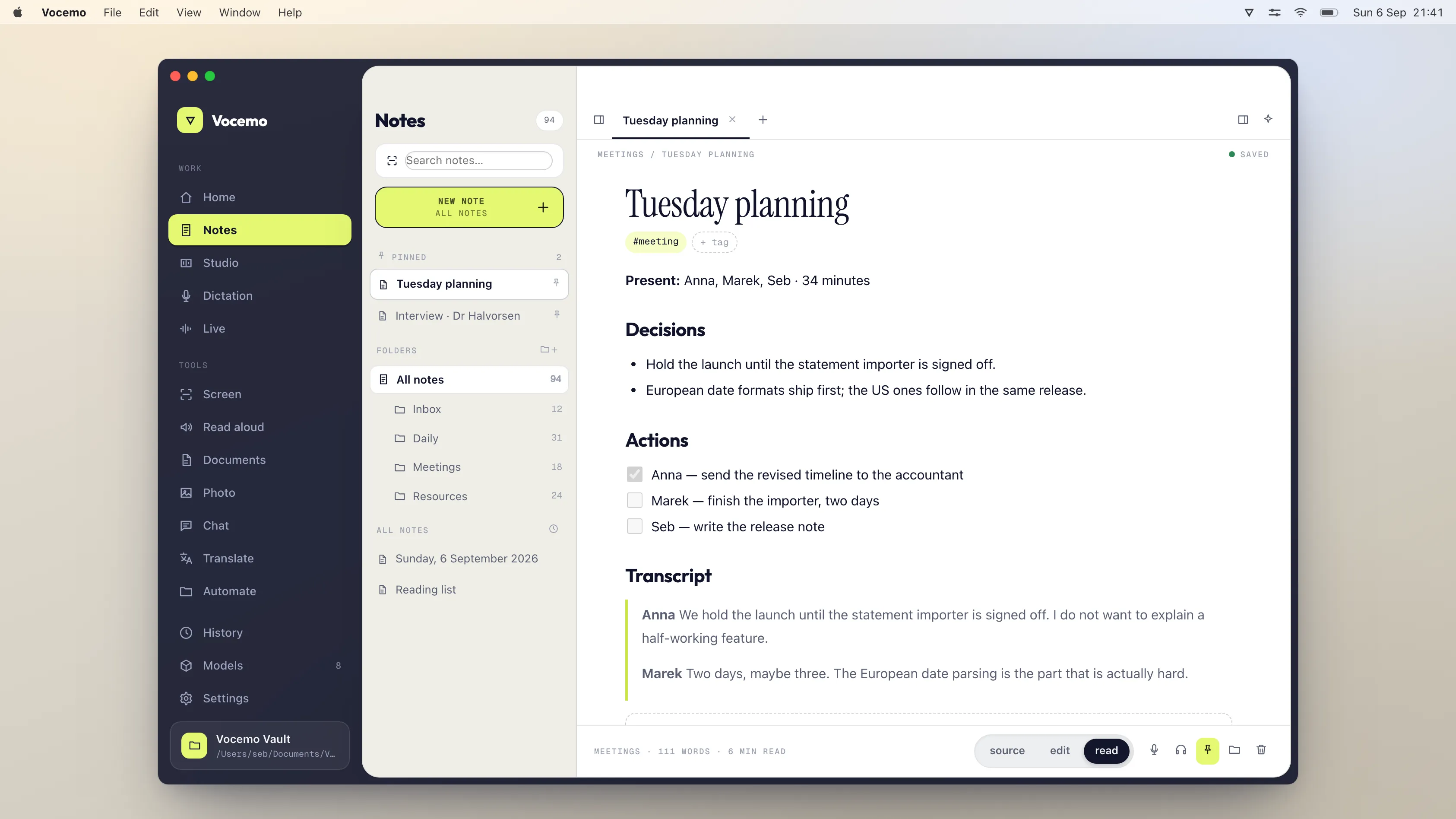
You can transcribe a meeting without a notetaker bot by recording the audio your own Mac is playing and transcribing it locally. Nobody else sees a participant join, no recording consent banner appears, and the audio never reaches a server. Vocemo does this for $15 a month; Otter, which uses a bot and the cloud, is $16.99 a month or $30 per user on Business.
- The problem
- A bot in the participant list is visible to everyone on the call
- The alternative
- Capture system audio locally, transcribe on your Mac
- Vocemo
- $15 a month or $144 a year, no bot, on-device
- Otter
- $16.99 a month, Business $30 per user per month
Why does it matter whether a bot joins the call?
Three reasons, and only one of them is about privacy.
- It is visible. "Otter.ai Notetaker has joined" appears in the participant list. In a sales call, a candidate interview or a sensitive internal conversation, that changes the room.
- It often needs permission you do not control. Many organisations block third-party bots from their meetings by policy, so the tool simply fails.
- It moves the audio. The bot is a participant on somebody else's infrastructure, and the recording lives there.
How do you record a meeting without a bot?
Capture what your Mac is already playing, plus your microphone, and transcribe the result on the machine. macOS has supported system audio capture natively since macOS 13, so this needs no virtual audio driver and no kernel extension. The other people on the call see nothing different, because nothing joined: you are recording your own speakers, the way you might record a podcast you are listening to.
That distinction is worth being precise about. It removes the bot, not the obligation. You are still recording other people, and consent law is unchanged by how the recording is made.
What do the options cost?
Prices verified September 2026.

| Tool | Bot joins the call | Where audio is processed | Price |
|---|---|---|---|
| Vocemo | No | On your Mac | $15 a month, or $144 a year, 3 Macs |
| Otter Basic | Yes | Cloud | Free, 300 transcription minutes a month |
| Otter Pro | Yes | Cloud | $16.99 per user monthly, or $8.33 billed yearly |
| Otter Business | Yes | Cloud | $30 per user monthly, or $19.99 billed yearly |
| Fireflies Pro | Yes | Cloud | $10 per seat a month |
| Fireflies Business | Yes | Cloud | $19 per seat a month |
| Fathom Premium | Yes | Cloud | $20 a month for individuals; free tier available |
| Fathom Team | Yes | Cloud | $19 per user a month, Business $34 |
| Granola | No | Cloud | Free tier; paid from around $18 per user a month |
| Apple Notes and Voice Memos | No | On your Mac | Free |
If you would rather this ran on your own Mac, that is what Vocemo does. Free for 7 days, then $15 a month for 3 Macs.
Download free for MacTwo of these are honest about being bot free. Only one of those also keeps the audio on your machine, which is a separate question and worth checking for yourself with the Wi-Fi off.
What do you give up without a bot and without the cloud?
- No shared team workspace. Transcripts land on your disk, not in a searchable company library.
- No CRM integration. Nothing writes call notes into your pipeline automatically.
- No transcript of a meeting you did not attend. A bot can sit in a call you skipped. Capturing your own audio cannot.
- You have to remember to start it.
If your team needs shared call libraries and CRM sync, buy the tool that does that. If what you need is a written record of a conversation that should not be uploaded, local capture is the straightforward answer.
What does macOS give you for free?
Before paying anyone, know where the free line sits, because for some people it is enough.
- Voice Memos records from the microphone. On a call taken through your laptop speakers, that captures both sides in the room's acoustics, which is rough but usable.
- Screen recording, with Shift Command 5 or QuickTime Player, captures the video of the call and your microphone. On its own it does not capture the audio the other people are sending, which is the limitation that matters.
- Apple Notes has audio recording with a transcript on recent versions of macOS, which covers the simple case of a conversation in a room.
- Dictation can type what you say, but not what anyone else says.
The gap the paid tools fill is the combination: both sides of the call, a clean transcript with speakers separated, and a summary with the decisions and actions pulled out.
Why do so many companies block notetaker bots?
This is the reason a lot of people go looking for an alternative in the first place, and it is usually not a privacy objection from the user. It is an IT policy.
Meeting platforms let administrators restrict who can join a meeting, and a notetaker bot arrives as an external guest, often as an unauthenticated one. Organisations handling client money, patient records, legal matters or unreleased products commonly turn that off across the whole tenant. Some allow a specific approved vendor and block the rest. The result is the same for you: the bot sits in the lobby, or never appears, and your notes do not happen.
Recording locally sidesteps the policy question entirely, because nothing joins the meeting. Note that sidestepping a bot policy is not the same as sidestepping a recording policy. If your employer or your client prohibits recording the meeting, that applies however the recording is made.
Do you still need consent to record?
Yes. This is the part worth being careful about, and it is worth saying plainly: the method does not change the law. A local recording is still a recording.
Consent rules for recording conversations vary by country and, in the United States, by state. The usual shorthand is that some jurisdictions are one-party consent, where one participant knowing is enough, and others are all-party consent, where everyone has to agree. Which rule applies can depend on where each participant is sitting, not just where you are, which is exactly the situation a remote call creates.
Practically, and regardless of what the law requires where you are:
- Say at the start that you are taking a recording or an automatic transcript, and give people a chance to object. It takes one sentence.
- Check your own organisation's policy, and your client's, before recording anything involving their data.
- Treat interviews, medical conversations, legal matters and anything involving a minor as needing explicit agreement, whatever the local baseline is.
- If you are unsure which jurisdiction's rule applies, ask. Nobody has ever been harmed by being told a call is being transcribed.
This is a description of how these rules generally work, not legal advice, and it is not a substitute for checking the rules that apply to you.
How good is speaker separation without a bot?
Worse, and it is the main honest trade-off. A bot that joins the meeting is given a separate audio stream per participant by the platform, each already labelled with a name. It knows who spoke because the platform told it.
A local recording captures one mixed stream, the same one you hear. Separating speakers from that mix is a harder problem, done by voice characteristics rather than by labels, and it produces "Speaker 1" and "Speaker 2" rather than names. It handles two or three distinct voices well. It gets confused by people talking over each other, by similar voices, and by someone joining halfway through on a bad connection.
Two things reduce the pain. Say who is on the call at the start, so the transcript contains the mapping even if the labels are generic. And rename the speakers once after the meeting, which takes about fifteen seconds and then applies to the whole transcript.
Does this work with Zoom, Teams and Google Meet?
Yes, and that is the quiet advantage of recording at the operating system level rather than through an integration. The capture happens below the meeting application, so it does not care which one you are using, whether you joined through the desktop app or a browser tab, or whether the meeting is on a platform nobody has built an integration for.
It also works for the things that are not really meetings: a webinar you are watching, a recorded talk, a phone call on speaker, a voice note somebody sent you, an interview in a room. Anything your Mac is playing or hearing.
What you give up is the integration side: no automatic calendar matching, no invitee list attached to the notes, no automatic posting into a shared workspace. If that automation is the reason you use a notetaker, a bot based tool is doing something a local one does not.
What should you look for in the notes themselves?
Transcription is the easy half. The reason people pay for these tools is the summary, and summaries vary far more than transcripts do. When you are comparing, run the same real meeting through two tools and check four things.
- Decisions. Did it capture what was actually decided, or only what was discussed? This is the single most common failure.
- Actions with owners. A list of tasks with nobody's name against them is a list of tasks nobody will do.
- Numbers and dates. Summaries are where a misheard figure becomes a confident false statement. Check them against the transcript.
- Length. A summary you still have to read carefully has not saved you anything.
Where do your meeting transcripts actually live?
Worth knowing before you have a year of them. With a cloud notetaker, the recording, the transcript and the summary sit in that company's account, under their retention policy, reachable by anyone with access to the workspace and by anyone who can compel the company to hand them over. Some vendors let you set a retention period, and some let you turn off training on your data. Check both.
With a local tool the files are on your disk, in a folder you chose, backed up by whatever backs up your Mac. That puts the responsibility on you, which is a real cost: if you lose the laptop and have no backup, the notes are gone. It also means a transcript cannot leak from a service you do not control, because there is no copy on one.
Which should you choose?
A short decision, honestly stated:
- Use a bot based cloud tool if you want automatic calendar joining, named speaker labels, and shared notes flowing into a team workspace, and your organisation permits bots.
- Record locally if bots are blocked, if the conversation is sensitive, if you do not want a visible notetaker in the participant list, or if you would rather the audio simply never left the machine.
- Use what is already on your Mac if you mostly need a recording of a conversation in a room and can live without speaker separation and summaries.
Questions
Can I get meeting notes without a bot joining the call?
Yes. Instead of sending a bot into the meeting as a participant, your Mac records the audio it is already playing and receiving, then transcribes it. Nobody sees a notetaker in the participant list, and on a tool that runs locally the audio never reaches a server.
Why do companies block AI notetaker bots?
A notetaker bot joins as an external, often unauthenticated guest, so meeting administrators frequently block it across the whole organisation, particularly where client money, patient records or legal matters are discussed. Recording locally avoids the bot policy, though it does not avoid a policy against recording the meeting at all.
Is speaker separation worse without a bot?
Yes, and it is the main trade-off. A bot receives a separate labelled audio stream per participant from the meeting platform, so it knows who spoke. A local recording is one mixed stream, so speakers are told apart by voice and come out as Speaker 1 and Speaker 2. It works well for two or three distinct voices and struggles with cross-talk.
Can I transcribe a Zoom or Teams meeting without a bot?
Yes. Recording your Mac's system audio captures the meeting exactly as you hear it, and no participant is added to the call. macOS has supported system audio capture natively since macOS 13, so no virtual audio driver is needed.
Will other people know I am recording?
Not automatically, which is precisely why you should tell them. No participant joins and no platform banner appears. Consent requirements depend on the jurisdiction of everyone on the call and are unaffected by the method.
Can meeting transcription identify who said what without a bot?
Yes. Speaker separation works on the audio itself rather than on per-participant streams, so it labels distinct voices. It is less precise than a bot that receives each participant separately, and you may need to name the speakers once.
Does Otter have an option that does not use a bot?
Otter can transcribe uploaded recordings without a bot, but its live meeting feature works by adding a notetaker to the call, and processing happens in the cloud either way.
What happens to the recording afterwards?
With an on-device tool it stays on your disk, in a folder you choose, as an ordinary file. Nothing is uploaded, and uninstalling the app leaves your recordings and transcripts where they are.
Sources
Every price on this page was read from the vendor's own page on the date shown above. Prices change; if you find one out of date, tell us and we will correct it.
Competitor prices in this article were checked in September 2026. Prices change; if you find one out of date, write to us and we will correct it.