Transcribing research interviews without sending them anywhere
Rev charges $1.99 a minute for human transcription, so twenty one hour interviews cost $2,388. Otter's free plan caps you at 300 minutes a month. MAXQDA's academic seat is $317 a year and NVivo's is $520. Vocemo transcribes on your own Mac for $15 a month, uploading nothing.
- Rev human transcription
- $1.99 a minute, so a 60 minute interview costs $119.40
- Otter free plan
- 300 transcription minutes a month, 3 file imports for the life of the account
- MAXQDA single user
- $317 a year for academia, $759 a year for business
- Vocemo
- $15 a month or $144 a year, audio never leaves the Mac
What does a research ethics committee actually ask about transcription?
Committees vary, and the wording on the form varies more. The questions underneath are almost always the same five.
- Where will the recordings be stored, and on whose equipment?
- Who will have access to them, by name or by role?
- Will any third party process the data, and under what agreement?
- How long will the audio be kept, and how will it be destroyed?
- When will identifiers be removed from the transcript?
Question three is the one that catches people out. A web transcription service is a third party processing personal data on your instructions. Under the UK and EU GDPR that makes it a processor, and Article 28 requires a written contract between you, or more precisely your institution as the controller, and that processor. Your university almost certainly has a list of services it has already signed with, and a route for adding one.
None of that means cloud transcription is banned. Plenty of committees approve it every week. It means the choice has to be declared in advance, checked against the institution's contracts, and described to participants. It is not a decision you get to make at eleven at night with a deadline and a folder of WAV files.
Doing the transcription on your own machine changes the answer to question three from a service name and a contract reference to "no third party". That is usually the shortest paragraph you can write, which is part of the appeal.
Does participant consent cover an online transcription service?
Read your own form before you assume either way. Consent forms fall into roughly three groups.
- The form names a service or says "a professional transcription service". You are covered for that, within whatever the form said about it.
- The form says the recording will be heard only by the research team. Sending it to a service is more than participants agreed to. The normal remedy is an amendment to the protocol and, depending on the committee, re-consent.
- The form is silent. This is the common case and the awkward one. Silence is not permission. Ask your committee rather than deciding on your own reading.
Two further points are worth saying plainly, because they get overstated in both directions. A consent form is not a data protection assessment, so satisfying one does not satisfy the other. And "the vendor is GDPR compliant" is a claim about the vendor, not about whether your particular processing is lawful and covered by what you told participants.
Some interview data raises the stakes on its own. Health information, criminal justice research, work with children, anything where a participant could be identified from what they describe rather than from their name. In those studies committees ask harder questions about transfer, and a workflow with no transfer in it is simply easier to describe.
How much does interview transcription cost?
Prices verified September 2026, taken from each vendor's own pricing page. ATLAS.ti is in the table because researchers ask about it, but it does not publish prices on its website; the figures appear only in its shop once you pick a licence type.
| Tool | Where the audio is processed | Price | Worth knowing |
|---|---|---|---|
| Rev, human transcription | Rev's servers and human transcribers | $1.99 a minute | 99%+ accuracy claim, 12 hours or less. A 60 minute interview is $119.40 |
| Rev, automatic | Rev's servers | Free tier is 45 minutes a month; Essentials is $29.99 a seat a month, or $305.90 a year | Essentials includes 5,000 automatic minutes a seat a month |
| Otter | Otter's servers | Free tier is 300 minutes a month; Pro is $16.99 a user a month, or $8.33 a month billed annually | The free tier allows only 3 audio or video file imports for the life of the account |
| NVivo transcription add-on | Lumivero's servers | Shop shown in euros lists 28.50 euros for 60 minutes, or 475 euros a year for 50 hours | Sold separately from the NVivo seat, which is $520 a year for academia and $130 a year for students |
| MAXQDA Transcription | MAXQDA's servers | $49 for 5 hours, $78 for 10 hours, $150 for 20 hours | Also sold separately from the seat, which is $317 a year for academia and $759 a year for business |
| ATLAS.ti | Desktop and web versions | No public price list on atlasti.com | Prices appear in the ATLAS.ti shop after you choose a licence type |
| Vocemo | Your Mac | $15 a month, or $144 a year | No per minute cost. macOS 13 or later, Apple silicon, three Macs on one licence |
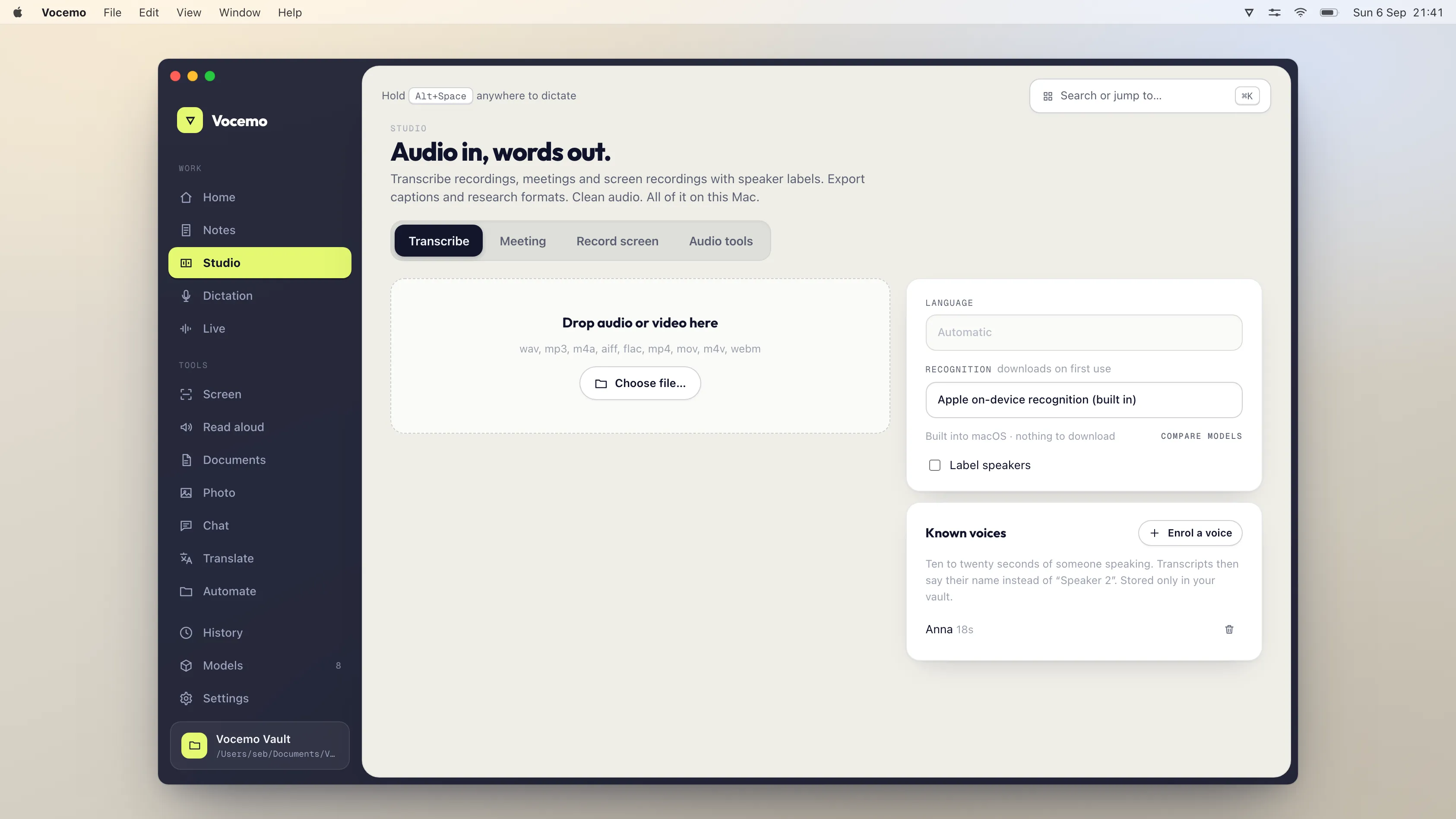
If you would rather this ran on your own Mac, that is what Vocemo does. Free for 7 days, then $15 a month for 3 Macs.
Download free for MacDo the arithmetic for your own study before you choose. A project with twenty one hour interviews costs $2,388 at Rev's human rate. The same twenty hours costs $150 in MAXQDA transcription credit at the 20 hour price, and nothing per hour on a local tool. Human transcription still wins on accuracy for difficult audio, and for some studies that is worth the money. It is a different decision from the privacy one, and the two get muddled.
How do you transcribe an interview on a Mac without uploading it?
Speech models small enough to run on an Apple silicon Mac got good enough for interview audio a couple of years ago. The workflow is unglamorous.
- Record to a file. A dedicated recorder or an external microphone beats a laptop microphone by a wide margin, and every minute you spend on room noise saves ten in correction.
- Transcribe locally. Vocemo does this on the Mac and separates speakers, so the transcript comes back with turns rather than one block of text.
- Correct the transcript against the audio. This is the part nobody can skip. Budget roughly the length of the recording again for a careful pass.
- Anonymise. Replace names, employers, place names and anything else that identifies a person, and keep the key separately if your protocol says to.
- Export, then import into your analysis package.
The general shape of this trade, and what an Apple silicon Mac can and cannot run, is covered in running AI on your own Mac.
How do you get a transcript into NVivo, MAXQDA or ATLAS.ti?
All three take ordinary documents, so the export step is less fussy than it looks.
Lumivero's documentation for NVivo 15 on Mac says documents can be imported from Microsoft Word documents, text files or OpenDocument files. MAXQDA's manual lists doc and docx, odt, rtf, txt and md for texts and transcripts, and adds two useful notes: timestamps let MAXQDA synchronise the transcript with the audio, and speakers in group discussions are coded automatically.
That second note is the reason to care about speaker separation before export. If your transcript already has a consistent speaker label at the start of each turn, MAXQDA will build the speaker codes for you and you skip a tedious hour. If it does not, you do it by hand.
Vocemo transcribes with speaker separation and offers several transcript export formats. Check which format your package wants before you run a batch of twenty files, not after.
What a local transcription tool does not do
Being straight about this matters more in research than in most fields, because you have to describe your method in writing.
- It does not guarantee accuracy. Rev sells a 99%+ human accuracy claim. Automatic transcription, local or cloud, makes no such promise. You still check every transcript against the audio, and you still say so in your methods section.
- It struggles where humans struggle. Overlapping speech, a participant who trails off, strong accents, a cafe, a speakerphone. Speaker separation guesses how many voices are present and gets it wrong when two people talk over each other.
- It does not anonymise for you. Removing identifiers is a judgement about your data and your participants. No tool makes it.
- It is not a shared workspace. There is no team cloud, no co-coding, no project sync. If your study needs three researchers working on the same corpus at once, a QDA package with collaboration is doing a job the transcriber is not.
- It does not remove your storage obligations. The audio still sits on a laptop that can be lost. Full disk encryption, a backup that is also encrypted, and a deletion date are still your problem.
- Vocemo runs on macOS 13 or later on Apple silicon only. No Intel Mac, no Windows, no mobile. A co-researcher on a PC cannot use it.
What do you write in the data management section?
Keep it short and specific. Something close to this, adjusted to your actual setup, tends to answer the committee's question in one go.
Interviews will be audio recorded on an encrypted device. Transcription will be carried out by the named researcher on a password protected, encrypted Mac using software that processes the audio locally. No audio or transcript will be transmitted to a third party service. Transcripts will be pseudonymised at first pass, with the key held separately. Audio will be deleted on [date].
If you do use a service, say which one, say that your institution holds a processing agreement with it, and say what participants were told. Committees are not trying to catch you out. They are trying to see that you thought about it.
The same reasoning applies to dictating your field notes and analytic memos, which is covered in dictation that stays on your Mac.
Questions
Is it against research ethics to use Otter or Rev for interview transcription?
No, not in itself. Many committees approve named transcription services routinely. The requirements are that the transfer is declared in your application, that your institution holds a processing agreement with the vendor, and that what participants were told covers it. Check your own consent form wording before you upload.
Does my consent form need to mention the transcription service by name?
That depends on your committee, and practice differs between institutions. Many forms say a professional transcription service may be used, without naming it. If your form promises that only the research team will hear the recording, a service goes beyond that and you would normally need an amendment.
How much does it cost to transcribe 20 hours of interviews?
At Rev's human rate of $1.99 a minute, 20 hours is $2,388. MAXQDA sells 20 transcription hours for $150. NVivo's shop, shown in euros, lists 475 euros a year for 50 hours. A tool that runs on your own Mac has no per minute charge, so the cost is the subscription alone.
Can a Mac transcribe interviews offline?
Yes. Speech models that run on Apple silicon are now accurate enough for clean interview audio, and they work with the network off. Vocemo does this and separates speakers, at $15 a month or $144 a year. Accuracy still drops on overlapping speech and noisy rooms, so you check the transcript against the audio.
What file format do I need to import a transcript into NVivo or MAXQDA?
Lumivero's documentation says NVivo 15 on Mac imports Word documents, text files and OpenDocument files. MAXQDA's manual lists doc and docx, odt, rtf, txt and md for transcripts. MAXQDA also codes speakers automatically when the transcript has consistent speaker labels, so get the labels right before you export.
Do I still have to check an automatic transcript?
Yes, every time. Automatic transcription makes no accuracy guarantee, unlike Rev's 99%+ human claim. Plan on a correction pass roughly as long as the recording, and say in your methods section that transcripts were checked against the audio.
Sources
Every price on this page was read from the vendor's own page on the date shown above. Prices change; if you find one out of date, tell us and we will correct it.
Competitor prices in this article were checked in September 2026. Prices change; if you find one out of date, write to us and we will correct it.