Otter.ai alternatives that run on your machine, not someone else's
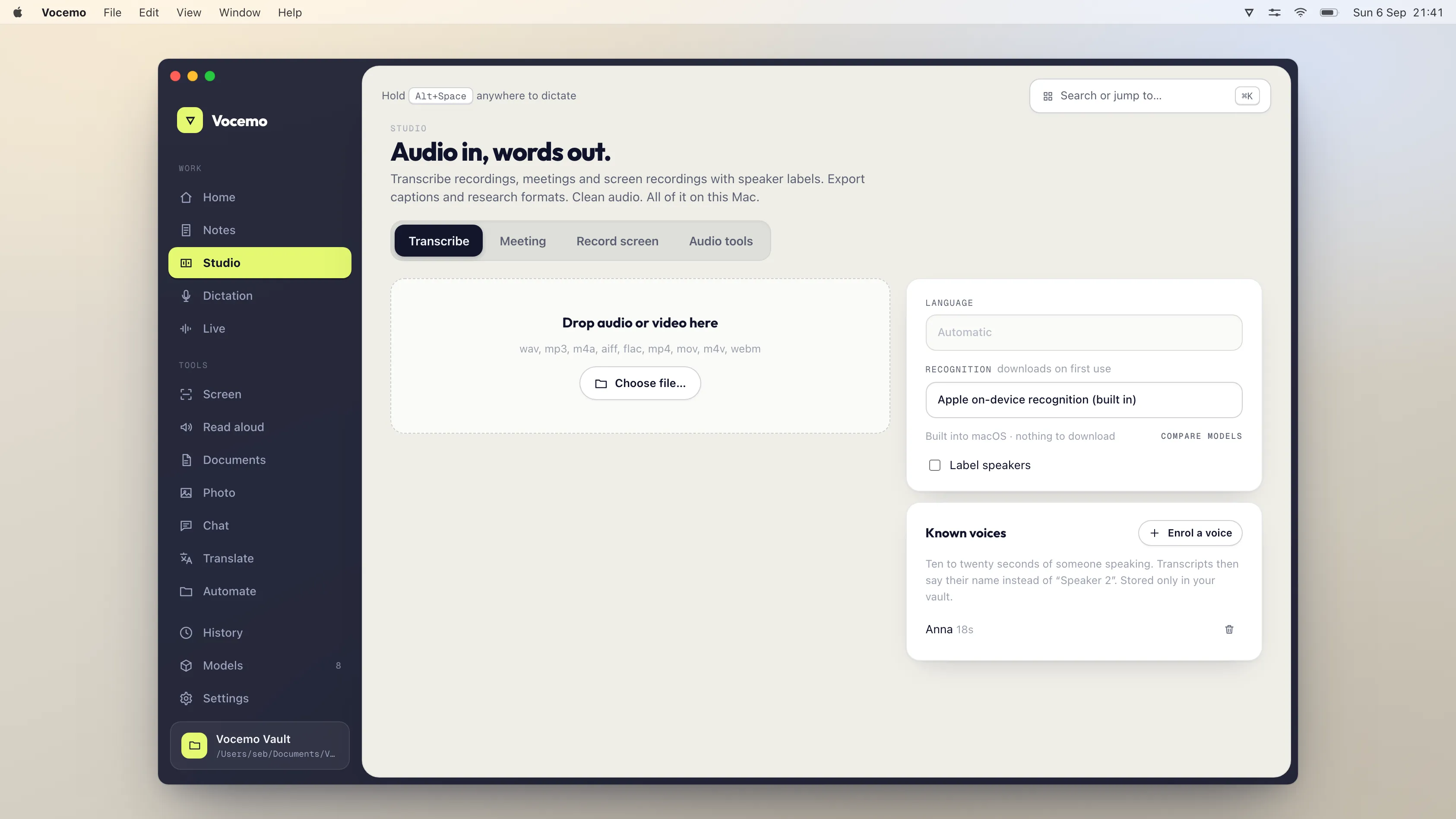
Otter's free plan gives 300 transcription minutes a month and 3 file imports for life. Pro is $16.99 a user a month, or $8.33 on annual billing. Fireflies is $18, Fathom Premium $20, Granola $14 and tl;dv Pro €29. All of those are cloud services. Vocemo runs on your Mac for $15 a month.
- Otter Pro
- $16.99 a user a month, or $8.33 a user on annual billing
- Otter free plan
- 300 transcription minutes a month, 30 minutes per conversation
- Otter on training
- Trains "on de-identified audio recordings and on transcriptions"
- Vocemo
- $15 a month or $144 a year, nothing uploaded, 3 Macs
What does Otter.ai actually cost in 2026?
Prices verified September 2026 on otter.ai/pricing.
- Basic is free. It includes 300 transcription minutes a user a month, a limit of 30 minutes per conversation, 3 lifetime audio or video file imports, and your 25 most recent conversations. Exports are mp3 and txt.
- Pro is $16.99 a user a month billed monthly, or $8.33 a user a month billed annually. It raises the limits to 1,200 minutes a month, 90 minutes per conversation and 10 file imports a month, and adds pdf, docx and srt export.
- Business is $30 a user a month billed monthly, or $19.99 a user a month billed annually. Meetings can run to 4 hours, imported file transcription is capped at 6,000 minutes a user a month, and you can join 3 concurrent meetings.
- Enterprise is quoted by the sales team and adds SSO, SCIM and HIPAA compliance as an add-on.
The two limits people hit first are the free plan's 3 lifetime file imports and the per conversation ceiling. A 45 minute call does not fit in the free plan's 30 minute conversation limit, and a 2 hour workshop does not fit in Pro's 90 minutes.
What does Otter say about storing your recordings and training on them?
Take this from Otter's own pages rather than from a competitor's summary. Two documents matter.
Otter's privacy policy, in the section headed "HOW LONG WE STORE YOUR INFORMATION", says: "Otter.ai stores all Personal Information for as long as necessary to fulfill the purposes set out in this Policy, or for as long as we are required to do so by law or in order to comply with a regulatory obligation." The same policy lists, among the purposes it processes your meeting and uploaded information for: "Improve and monitor the Services, including training our proprietary AI technology on de-identified audio recordings and on transcriptions (which may contain Personal Information)."
Otter's Privacy and Security page answers the training question directly. Asked "Do you use recordings and transcriptions to train your models?", it says: "Otter uses a proprietary method to de-identify user data before training our models so that an individual user cannot be identified. This training method is automatic and as such audio recordings and transcripts are not manually reviewed by a human. Additionally our training data is encrypted."
The same page is specific about deletion and storage: "When you delete a conversation, it is moved to the Trash. Otter automatically deletes conversations from the trash after 30 days." On storage it says Otter "uses AWS S3 storage" with server side encryption using "a 256-bit Advanced Encryption Standard (AES-256)". It also states that no customer data is used to train the models of its AI service providers, and that imported customer data is not used to train Otter's own models.
None of that is hidden and none of it is unusual for a cloud service. It is written down so you can decide. The decision it asks you to make is whether the recordings you feed it are ones you are willing to store on a company's servers, under a retention rule stated as "as long as necessary", with the audio contributing to model training after de-identification. For a weekly standup, most people say yes without thinking about it. For a patient consultation, a legal interview or an acquisition call, the answer is often different, and the other people on the call were usually never asked.
Why does every "Otter alternative" list recommend another cloud service?
Because of who writes them. Search that phrase and the first page is mostly blog posts published by Fireflies, tl;dv, Fathom, Notta, MeetGeek and Sonix. Each one is a company selling a meeting service, and each list arrives at the conclusion that you should buy the publisher's meeting service. That is not dishonest, but it explains a structural blind spot: none of them has any reason to raise the possibility that the transcription could happen on your laptop and stop there, because that possibility sells nothing they own.
So the category "runs on your own machine" is missing from almost every comparison, even though it is the answer to the objection that sent you looking for an alternative in the first place.
How do the cloud alternatives compare, honestly?
They are good products. Comparing them fairly matters more than dismissing them.
- Fireflies has the most generous free tier of the group: unlimited transcription with limited AI summaries and 400 minutes of storage a team. Paid plans start at $18 a seat a month, or $10 billed annually. Its Enterprise tier lists private storage and custom data retention.
- Fathom has a free plan with unlimited recordings and transcriptions, and its pricing page lists a "Choice of bot-free (in beta) or bot capture-types", noting the bot-free option is a beta feature for Mac. Premium is $20 a user a month, or $16 on annual. Team is $19 a user with a 2 user minimum.
- Granola takes a different shape: it is a notepad you type in during the meeting that gets enhanced afterwards, rather than a bot that joins. Its free tier includes "Opt out of model training any time", Business is $14 a user a month and Enterprise is $35 with org-wide auto-deletion periods.
- tl;dv prices in euros: Pro is €29 a user a month, or €18 billed annually, and Business is €39 a user a month, or €29 annually. There is a free tier.
All four record or process your meetings on their infrastructure. That is what makes their integrations, their shared search across a team's calls and their CRM syncing possible. It is the feature and the cost at once.
Which Otter alternatives run on my own computer?
Two shapes exist, and they solve different halves of the problem.
File transcription tools. You give them a recording and they transcribe it locally. MacWhisper is the best known: free tier, and a Pro licence at a one time €64 that includes lifetime updates. If your workflow is "record on my phone, transcribe later", this is all you need.
Tools that capture the meeting as it happens. A meeting is only hard to capture locally because the sound is coming out of your speakers rather than into your microphone. macOS can route system audio to an app, so a local tool can transcribe what is being said in a call without anything joining that call. Vocemo does this and produces the transcript, the speaker separation and a summary with decisions and action items on your Mac. There is no bot in the participant list and no notification to the other side, which is a real difference in etiquette as well as in privacy, and it is covered properly in meeting notes without a bot.
Otter alternatives compared
Prices verified September 2026, from each vendor's own pricing page. Euro prices are published in euros and shown as such.

| Tool | Where it runs | Free tier | Paid price | Joins the call? |
|---|---|---|---|---|
| Otter | Their servers | 300 minutes a month, 3 lifetime file imports | $16.99 a user monthly, $8.33 on annual | Yes, or records in the app |
| Fireflies | Their servers | Unlimited transcription, 400 minutes storage a team | $18 a seat monthly, $10 on annual | Yes, plus a bot-free browser extension |
| Fathom | Their servers | Unlimited recordings and transcriptions | $20 a user monthly, $16 on annual | Bot, or bot-free capture in beta on Mac |
| Granola | Their servers | Limited meeting history | $14 a user a month | No bot, you type alongside it |
| tl;dv | Their servers | Yes | €29 a user monthly, €18 on annual | Yes |
| MacWhisper | Your Mac | Free tier | €64 once, lifetime updates | No, you give it a file |
| Vocemo | Your Mac | 7 day trial, no account | $15 a month, or $144 a year | No bot, captures system audio |
If you would rather this ran on your own Mac, that is what Vocemo does. Free for 7 days, then $15 a month for 3 Macs.
Download free for MacWhat the local option does not do
Be clear about this before switching, because the gap is real and it is not small. Vocemo does not:
- Join a meeting as a participant. No bot appears in Zoom, Teams or Google Meet, so there is no automatic capture of a meeting you did not attend and no recording made while your Mac is asleep.
- Watch your calendar. Nothing joins a call automatically because an invite exists. You start the capture yourself.
- Give a team a shared searchable archive. There is no workspace, no channels, no comments, no shared folders and no search across your colleagues' calls. Transcripts are files on your disk.
- Sync to a CRM. No Salesforce or HubSpot field updates, no deal views, no coaching scorecards. If your reason for buying a meeting tool is pipeline hygiene, buy one of the cloud tools.
- Exist on your phone. macOS 13 or later on Apple silicon, and nothing else. No iPhone app, no Android app, no web app, no Windows build.
- Ask an assistant about last quarter's calls. There is no cross-meeting chat over a corpus you never uploaded.
Those absences are the direct consequence of nothing leaving the machine. A shared team archive requires a shared server. That is the trade, stated plainly, and for a lot of people it is the wrong trade.
Who should switch, and who should stay?
- Stay on a cloud tool if your value is in the team layer: shared search, coaching, CRM sync, a bot that attends calls you skip. Fireflies at $10 a seat on annual is the cheapest serious version of that, and Fathom's free plan is unusually generous.
- Switch to local if the meetings are confidential by default, if a client contract or an ethics approval says the recording stays with you, if you work in health, law or research, or if you have simply stopped being comfortable with a bot introducing itself to your clients.
- Use both if that matches reality. Internal standups on the cloud tool, client and patient calls local. Nothing stops you and it is often the honest answer.
How do I check where a meeting tool actually processes my audio?
Do not rely on the word private in a headline. Three checks settle it.
- Disconnect from the network and try to transcribe. Local work still finishes; a cloud service queues or fails.
- Watch Data Sent for the app in Activity Monitor's Network tab. An upload of an hour of audio is tens of megabytes and it is obvious.
- Find the retention sentence and the training sentence in the vendor's own policy, as quoted above for Otter, rather than the summary on a comparison page.
The longer version of this test, applied to AI apps generally, is in is your AI app uploading your data, and the background on why an Apple silicon Mac can do this work at all is in on-device AI on a Mac.
What does the local option cost and what do you get?
Vocemo is $15 a month, or $144 a year, which works out at $12 a month. One licence covers 3 Macs. There is a 7 day trial and no account to create. It needs macOS 13 or later on Apple silicon.
What that covers, beyond meeting transcripts: transcription of audio and video files with speaker separation, summaries with decisions and action items, SRT and VTT export, filler word removal, live captions from system audio, screen recording with a transcript, and the rest of the toolkit. The installer is 5.5 MB because no models ship in it. There are 52 model packs and each one is downloaded the first time a feature needs it, then shut down after 120 seconds of idle time.
Questions
Is there a free Otter.ai alternative?
Several. Fireflies has a free tier with unlimited transcription and limited summaries, and Fathom's free plan includes unlimited recordings and transcriptions. Both are cloud services. For a free local option, MacWhisper has a free tier that transcribes files on your Mac.
Does Otter.ai train its AI on my meetings?
Otter's privacy policy lists, among its processing purposes, "training our proprietary AI technology on de-identified audio recordings and on transcriptions (which may contain Personal Information)". Its Privacy and Security page adds that a proprietary method de-identifies user data before training, that the process is automatic and that the training data is encrypted.
How long does Otter keep my recordings?
Otter's privacy policy says it "stores all Personal Information for as long as necessary to fulfill the purposes set out in this Policy, or for as long as we are required to do so by law or in order to comply with a regulatory obligation". Its Privacy and Security page adds that deleted conversations go to the Trash and are automatically removed 30 days later.
Can I take meeting notes without a bot joining the call?
Yes. A local tool can listen to the system audio your Mac is already playing, so it hears the call without being a participant. Fathom also lists a bot-free capture option on its pricing page, described as a beta feature for Mac, though the processing is still on its servers.
Is Otter or Fireflies cheaper?
Fireflies is cheaper on annual billing at $10 a seat a month against Otter Pro's $8.33, though the free tiers differ more than the paid ones. Fireflies offers unlimited transcription free with limited summaries, while Otter's free plan caps you at 300 minutes a month and 3 lifetime file imports.
What do I lose by switching to an offline meeting tool?
The team layer. There is no bot attending calls you skip, no calendar automation, no shared searchable archive across colleagues, no CRM sync and no phone app. You gain a transcript that never leaves your Mac. If shared search across a sales team is what you are paying for, keep the cloud tool.
Sources
Every price on this page was read from the vendor's own page on the date shown above. Prices change; if you find one out of date, tell us and we will correct it.
Competitor prices in this article were checked in September 2026. Prices change; if you find one out of date, write to us and we will correct it.